Receive and translate content from the cloud:
-
FTP
-
Dropbox
-
Box.com
-
Google Drive
-
Microsoft Live
-
OneDrive
-
Copy.com
-
Amazon AWS
-
Others
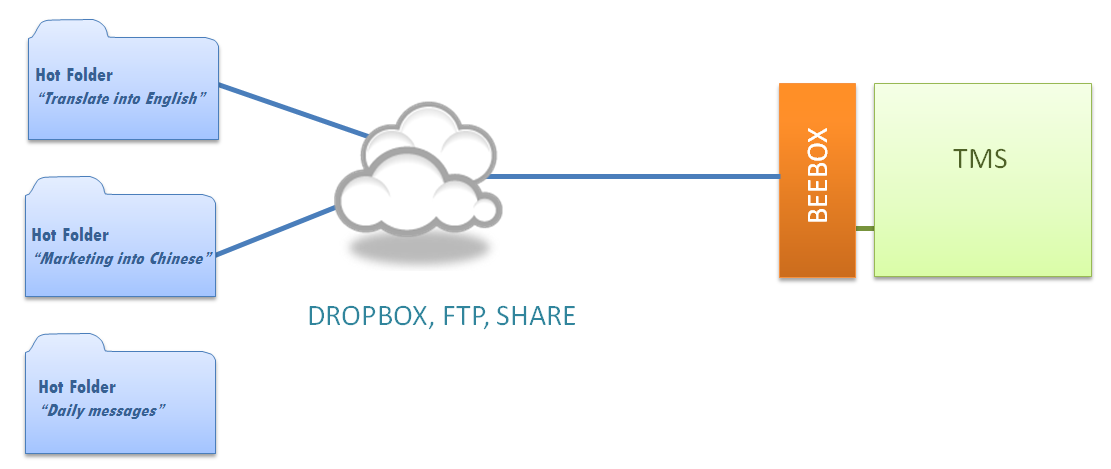
The diagram below shows how you can expose hot folders to your client (or a software). The client simply drops source files into a hot folder and Beebox will automatically receive and process those files. Translation jobs are then exported to Wordbee Translator or another TMS (using XLIFF files).
At a glance
Direct link with clients and systems
Auto-detects arrival of new files
Auto-sends translations back
Segmentation, Pretranslation, Counting
Creates translation jobs when needed
Connects with your LSP or TMS
Demo, Trial and Pricing
A selection of supported systems: