
This template lets you import your clients and suppliers' company information like contact details, billing details, and custom field values.
Note that only the fields with an asterisk are mandatory.
In the document, you will notice different sections symbolized by different colors:
Company details:

Contact details:


Billing details:

Invoicing & Accounting details:

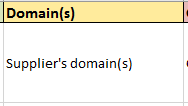
Supplier's domains:
Should match the domains configured on your environment. If you need to enter a sub-domain, here is the format: 'Domain/Subdomain'.
Enter multiple values using the “|” character (e.g., to define several domains → Life Science | Marketing).
Custom field values:
The system will display in the template one column per 'Company' custom field you would have configured on your environment.
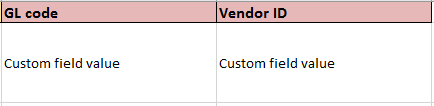
Enter multiple values using the “|” character (e.g., to define several values for ‘Region' field: EMEA | APAC, if ‘Region’ is a custom field of type 'Multiple choice (Picklist)’).