
Select a project, click Settings in the left navigation menu and scroll to the Text extraction rules block:
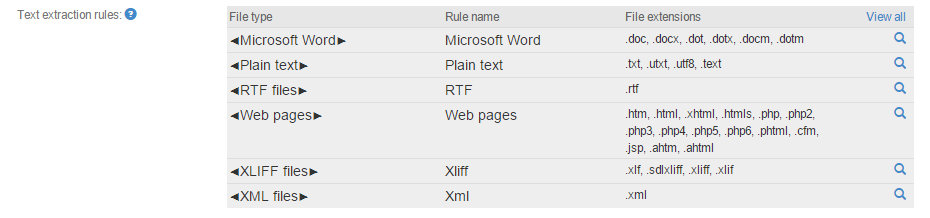
The different columns are:
-
File type: Common name for files of this type
-
Rule name: A user given title. Since you can add rules for the same format multiple times, the title can distinguish them.
-
File extensions: All the file extensions that can be processed by the Beebox using this rule.
-

Further reading
Learn how to add more rules and formats to your project: