
This report captures QA activity at any point in your workflow: during review, at the end of a project, or for audit purposes. Each row represents a single QA issue and includes the source and target text of the affected segment alongside severity, rule details, and dismiss status.
New
The default report template now includes source and target text columns. If you customized your S720 template before this update, add the <#Lines.SourceText> and <#Lines.TargetText> placeholders to include segment content in your report.
The 'Ignored' information has been recently improved to mark false-positives (feature currently available in Flex-related scenarios).
If the report has been generated via API, it can also gather information for several target languages.
Create from the Translation Editor
This report is created in the Translation Editor from the "Export" menu option. You can open the editor from a project, a job, or a Flex container. The report cannot be generated for translation memories or term bases.
A manager-level user can then select this report template and any customized versions you may have added.
A user who is not given the right to access all projects will not be able to create such reports.
Create from Business Reports page
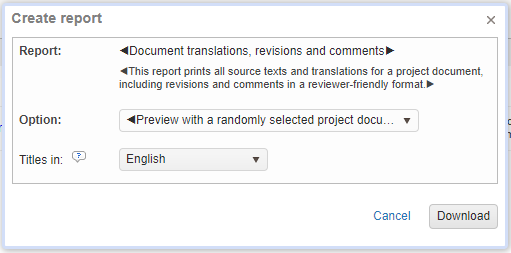
When creating a report from My Company > Reports, it will select a random document. Therefore, we advise you to test your report directly from the Translation Editor.
Template
Screenshot of the default template:

Global placeholders
Placeholders can be placed in any location in the Excel file and their properties apply to the whole report.
|
Placeholder name |
Description |
|---|---|
|
<#GeneratedDate> |
The date when the report was generated. |
|
<#UserName> |
The name of the user who generated the report. |
|
<#ProjectReference> |
The project reference. |
|
<#ProjectManager> |
The project manager name, if any. |
|
<#SourceLocaleName> |
The source language name. |
|
<#TargetLocaleName> |
The target language name. |
Data rows and placeholders
Each row of the report corresponds to a QA issue, in other words all information related to the QA rule feedback for a specific segment and target language will be contained in one single row.
The placeholders of the row must be placed within the Excel table range named "___Lines___" (3 leading and trailing underscore characters ). Click here for more details on table ranges.
A report prints the raw data in rows. Each row, you can use any of the following placeholders:
|
Placeholder name |
Description |
|---|---|
|
<#Lines.DocumentName> |
The name of the document. |
|
<#Lines.TargetLocaleName> |
The target language name. |
|
<#Lines.SegmentID> |
The ID of the segment. |
|
<#Lines.SegmentNumber> |
The segment number. |
|
<#Lines.SourceText> |
The source text of the segment. |
|
<#Lines.TargetText> |
The target text of the segment for the selected target language. |
|
<#Lines.QASeverity> |
The severity of the QA rule. |
|
<#Lines.QASeverityLevel> |
The numeric severity value of the QA rule. |
|
<#Lines.QARuleName> |
The name of the QA rule. |
|
<#Lines.QADescription> |
The description of the QA rule. |
|
<#Lines.QADismissedStatus> |
The dismiss status of the QA rule. |
|
<#Lines.QAComments> |
The QA comment. |
|
<#Lines.ResourceID> |
The ID of the resource (Project Memory) that contains the segment. |