
1- Sign in your Google Admin console (admin.google.com)
2- Go to Security > Authentication > SSO with SAML Applications
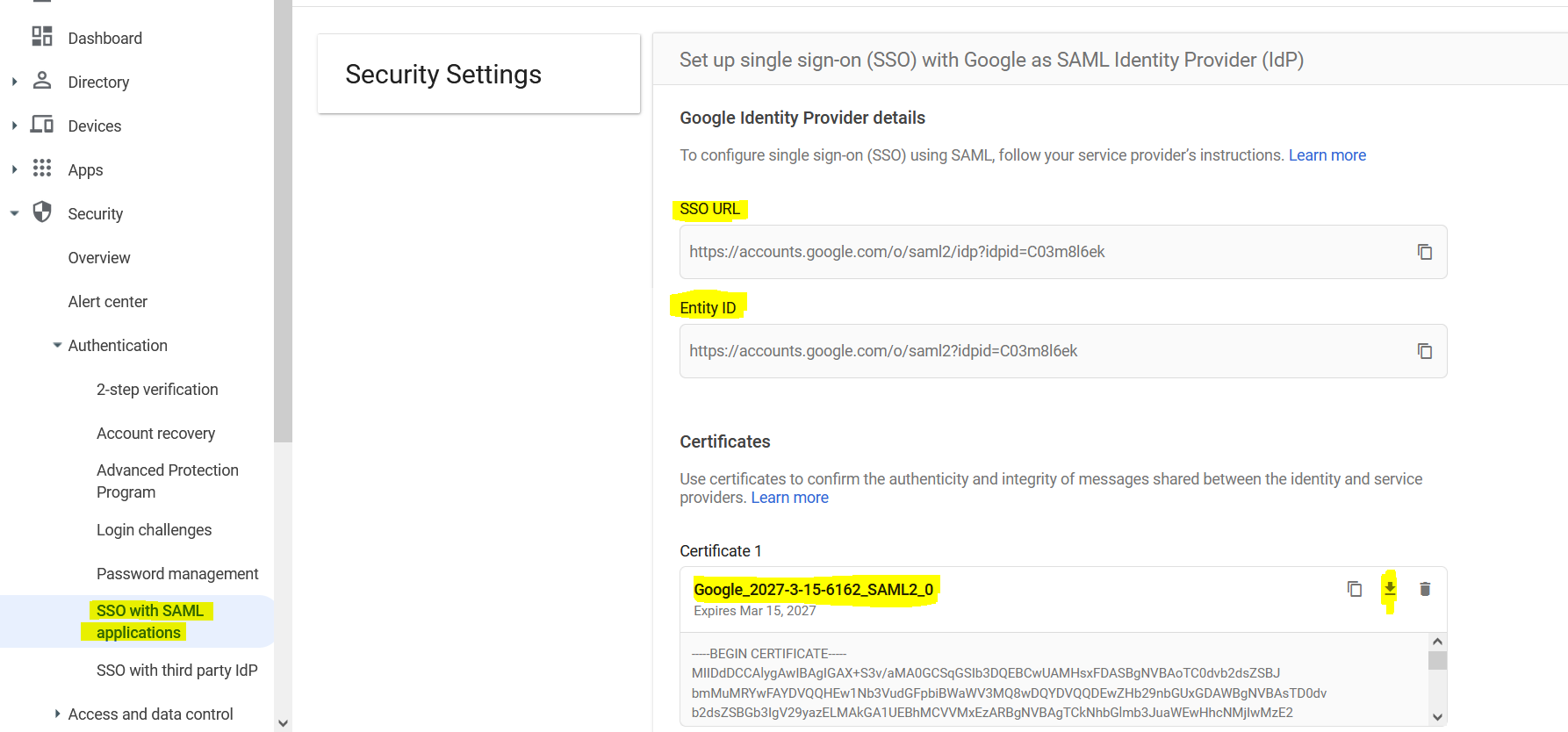
3- Send to Wordbee “SSO URL, Entity ID and Google certificate”
4-Add custom SAML app
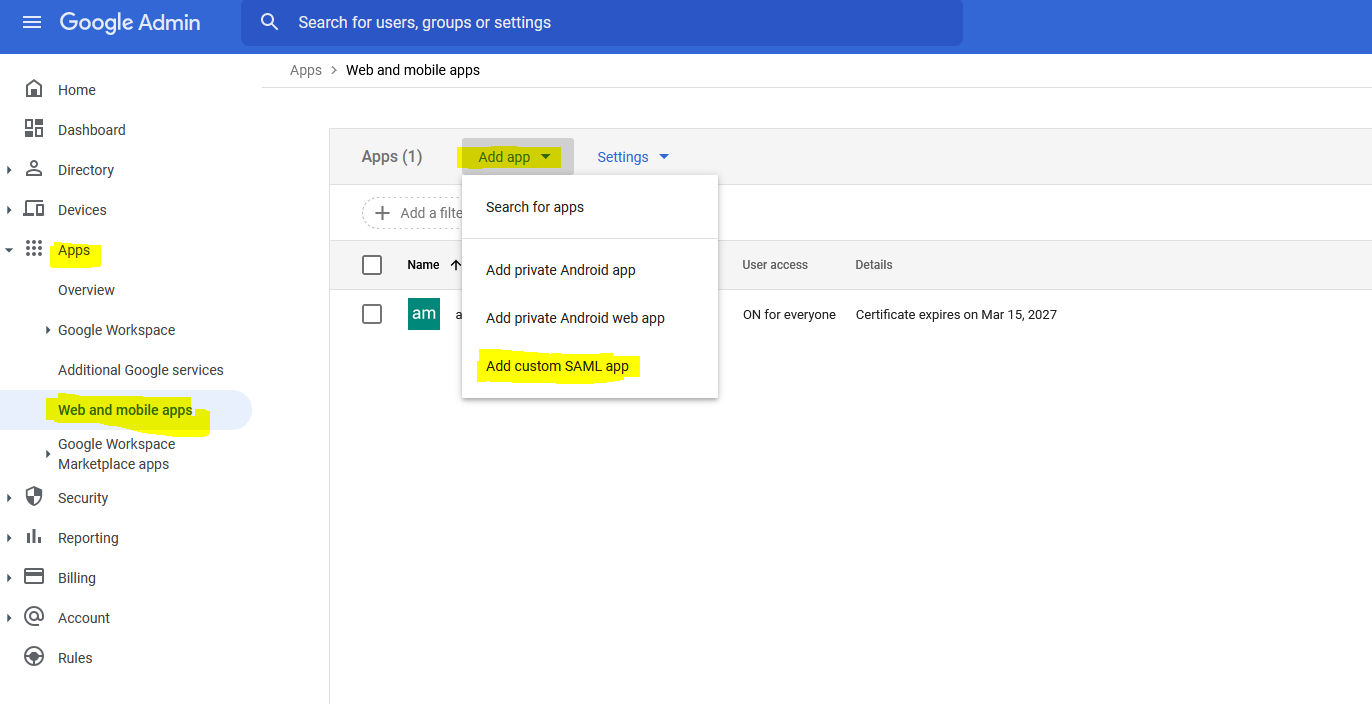
5-App details
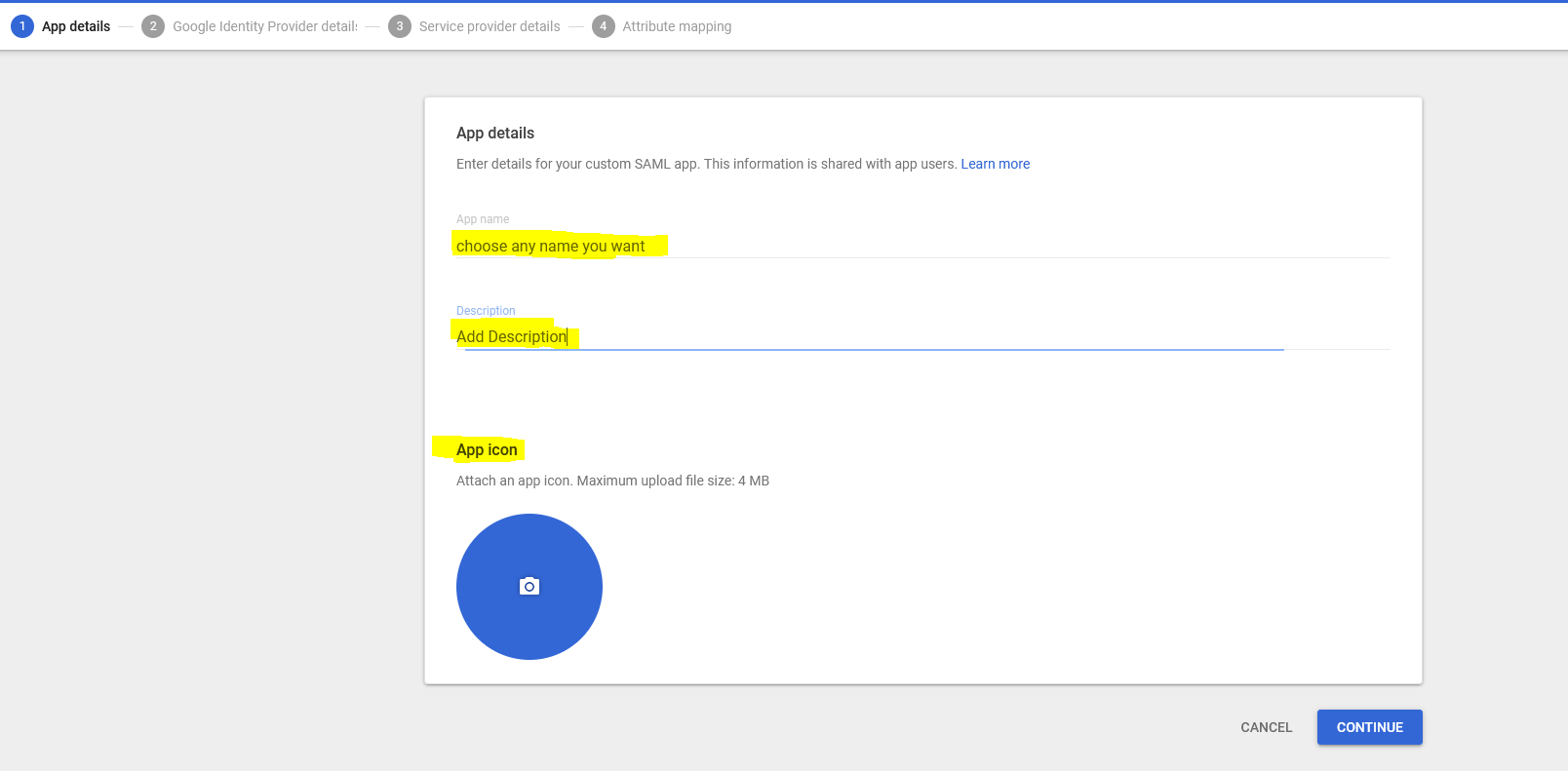
6-
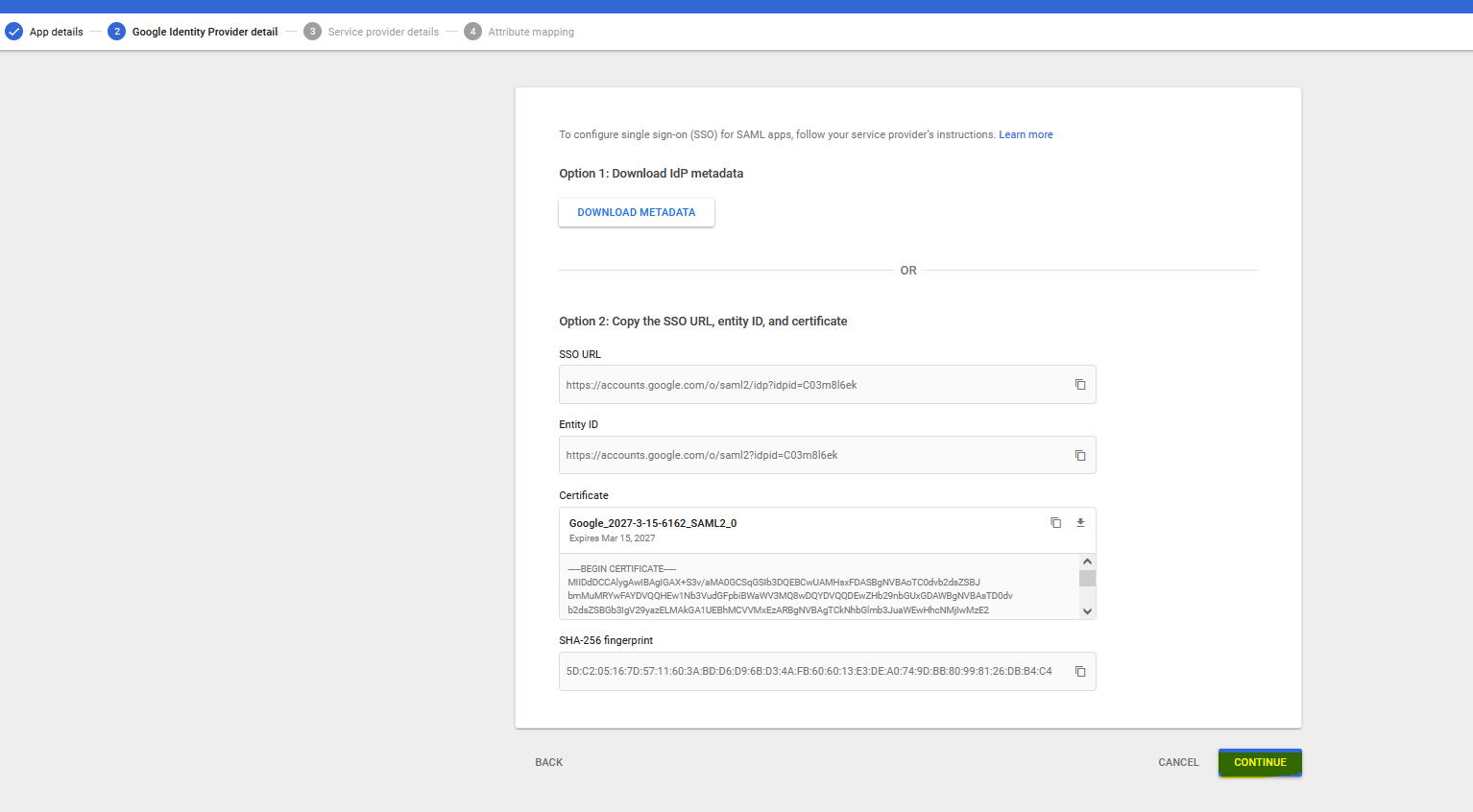
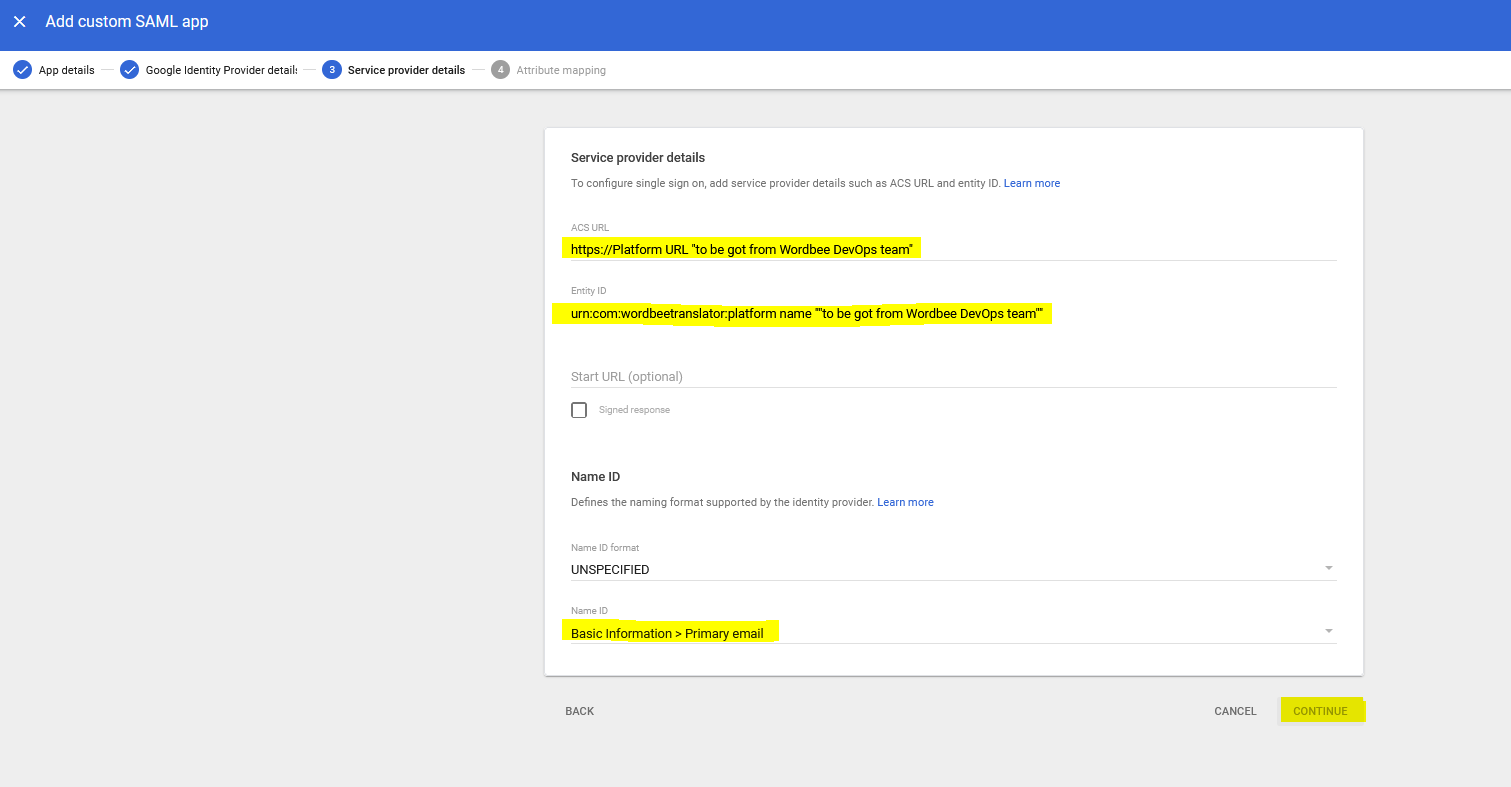
7- Add Acs URL and Entity ID “you should get them from Wordbee DevOps team“
8-Add Attributes (Exchange attributes with Wordbee)
App attributes “attributes from Wordbee side“
Google Directory attributes “attributes from Google (to be sent to Wordbee)“
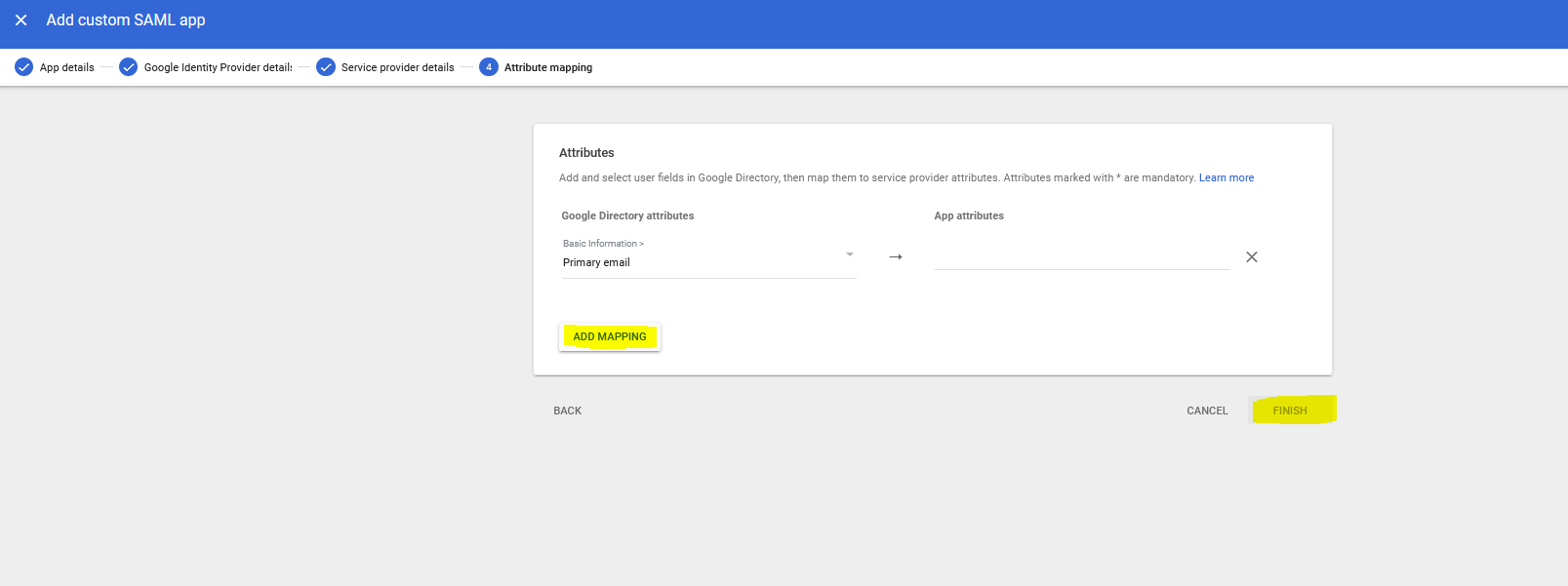
Finish