
Each user may have a different way to handle a translation or a revision task. Here are some good practices about how to manage your work progress using some of the tools available in the translation interface.
Management of a translation-revision workflow
For translators
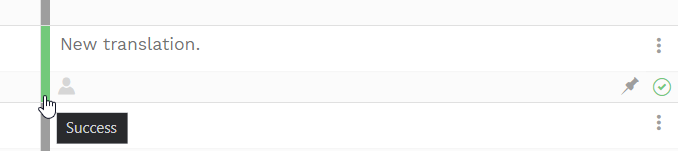
Mark with green status the segments containing your final translations, segments that you have already translated and revised, and therefore, you will not modify anymore. In this way, the reviser knows this content is ready to be checked.
For revisers
In order to complete your task and interact with the translator if the translation job is still open, lock each revised segment so that no further modification by the translator is possible. If you think changes still need to be made, you always have the possibility to unlock them.

In Codyt projects
Management of a workflow containing a source-only task
This particular project workflow highlights the fact that one specific task only affects the source text. This task usually consists of the preparation of the translation or the project. The output of this first assignment then triggers the following jobs (translations, revisions, etc.) in all workflow languages.
Linguistic preparation, source editing, or copyrighting step
These are just some of the names given to the initial phase where you need to prepare the document to be translated.
You will require such a task when you want to improve the quality of your source text by rewriting some of its parts. This job is source language only, so the services of your suppliers need to be set accordingly. Check the details for external suppliers (monolingual services) and internal suppliers (service portfolio).
When you open the Editor, you will have the source text directly available in the dedicated column. Once finished, this text will become the source text for the upcoming jobs in the workflow.
Note that if you place such a task after translation-related steps it only will be started when all target language-related steps are completed for all target languages.
Other jobs: Translation, Revision, Layouting...
These jobs will be inactive until the first stage is completed. Notifications will be sent to all suppliers.
Working from the project scope
Managers can work on the same content from the project scope to coordinate with linguists before or during the project. Open the Editor from the project's document library or the Work and Delivery tab to work at project level: the status you set there (including a project-level QA check) updates the shared status accordingly. As a convention, run any project-level QA before launching the jobs, so each job starts from a validated baseline, and point linguists to the standing views (the QA panel and the QA column in the grid) for the current set of open issues.
The way of working described on this page uses the default single shared status. If your platform has segment status per job enabled, each job keeps its own status, and a manager's project-scope changes update the shared status only — see How linguists track their own progress per job.