
What's New?
We've rebuilt the Editor from the ground up to make your workflow faster, smarter, and more intuitive while handling all your data. The goal is a cleaner experience that adapts to how you work, without forcing unnecessary complexity on you.
Here's what you can expect:
⚡ The Highlights
Faster and lighter
Pages load quickly, scrolling is smooth, and the Editor responds instantly even with large documents.
Clearer interface
We've stripped away the clutter. Tools are where you need them, and the interface doesn't get in the way of your actual work.
Customizable to your needs
Start with sensible defaults, then adjust as needed. You get the features you want without wading through options you don't use. Your preferences are saved per job, project, and memory so you can pick up exactly where you left off.
Decoupled finder modules
Memory hits and term hits live in separate modules. Each finder remembers which resources you selected for the current scope, and resource names are visible inline on every hit so you know where matches come from.
AI-Ready
We're integrating AI where it makes sense. Right now it helps with filtering, editing, and acting on QA issues, but we're just getting started. More capabilities are coming as we figure out where AI adds real value.
✅ What's Available Now
Find all areas covered in the editor overview article or take a quick look at the highlights below.
Quick reference:
-
Simplified interface — cleaner toolbar, sortable grid, linear Batch Actions, plus Insert markup and view options in the Edit menu
-
NEW Drag-and-drop panels — arrange modules as tabs across sidebar zones
-
QA across documents — run QA across an entire project, with in-grid flags and a QA Score column
-
Language toolbar — pretranslation, edits, issues, and comments at a glance
-
NEW Customizable language toolbars — choose what each language toolbar shows
-
Browse to what matters — Go To, filters, and search bar
-
Preconfigured setups — ready-to-use configurations saved per scope
-
Built-in AI assistance — filter, edit, fix, rephrase
-
NEW Autocorrect — text shortcuts, smart quotes, on-the-fly typing fixes
-
Dark mode — switch themes anytime
-
Preview panel — embedded, dockable, detachable
-
Keyboard shortcuts — full default set, fully remappable, Ctrl+Enter as default Confirm-and-next
-
Continuous scrolling — load more segments on demand
-
NEW Find and Replace — search and replace text across segments, one match at a time or all at once
-
NEW Per-segment machine translation — trigger MT on a single segment from the toolbar
-
NEW Job acceptance & delivery — accept, track, and deliver jobs without leaving the Editor
-
NEW More flexible QA actions — bulk Clear / Mark resolved / Ignore, plus AI-suggested fixes under each issue
-
NEW Email notifications for comments — get notified when a comment needs your attention
-
NEW More Memory Finder search modes — Contains, Whole segment, Wildcards, and Regex
Simplified interface
Search and filters that actually help you find things. The segment toolbar lives right next to your text with a more intuitive layout and shows character length, recent edits, comments, and issues at a glance. The grid is sortable, faster, and easier to navigate. The Batch Actions module gives you linear, step-by-step configuration for bulk updates. The Edit menu now includes Insert markup actions and view options so you can toggle markup display and insert tags directly from the menu.
NEW Drag-and-drop panels
Arrange your workspace your way. Open modules as tabs inside layout zones and drag them between the top and bottom sidebar zones. The below-grid zone joins later.
[Screenshot to add: The Editor sidebar with modules organized as tabs across top and bottom zones, with one tab being dragged between zones.]
QA across documents
Run QA across multiple files in your projects at once. Catch inconsistencies and ensure coherent results across the documents in your job or project before delivery. QA permissions configured for your role are enforced inside the Editor. Findings now also appear as visual indicators directly in the grid, and a dedicated QA Score column lets you prioritize the worst offenders at a glance. Run QA settings are saved across sessions, and admins can require QA before job completion.
Language toolbar
See what's outstanding and what's been done at a glance: pretranslation details with fuzzy-match percentages, recent edits, issues, and comments. Check the info right away or jump directly to the related module.
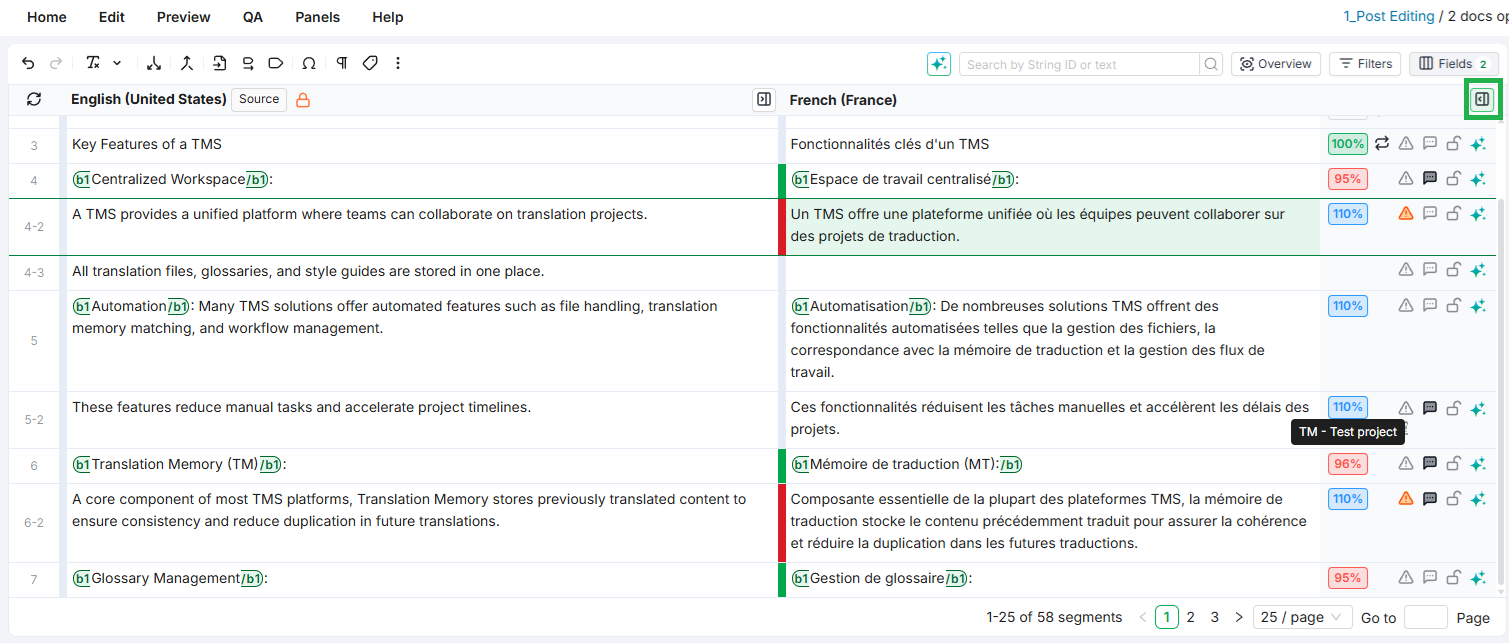
NEW Customizable language toolbars
Tailor each language toolbar to show only what matters to you. Pick which information is visible per language so reviewers, translators, and project managers each see what they need without the noise.
[Screenshot to add: The language toolbar settings dialog with toggles for each visible indicator (pretranslation, edits, issues, comments).]
Browse to what matters
Skip the scrolling. Use Go To to jump straight to a segment by its number or string ID, filters to browse by status, comments, QA flags, labels, lock state, or any other column, and the search bar for a quick text or segment-level lookup when you just need to check something fast.
Preconfigured setups
Jump straight into editing with ready-to-use configurations for the environment. No setup required unless you want to customize. Individual preferences are saved per job, project, or memory.
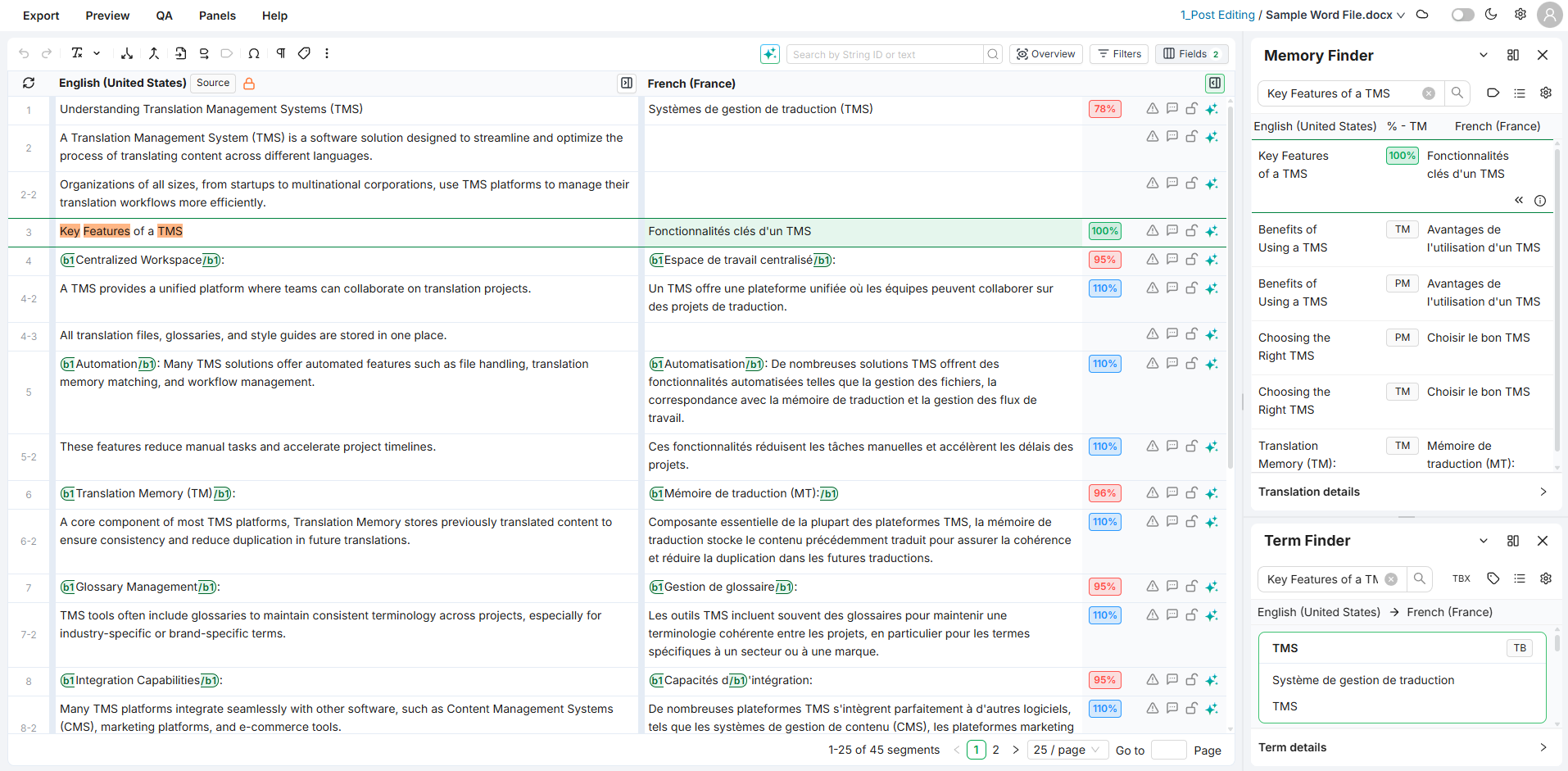
Built-in AI assistance
Get help with AI on filtering, editing, fixing issues, rephrasing, and applying changes to multiple segments. It works across the Editor wherever it makes sense.
NEW Autocorrect
Stop fixing the same typos. Autocorrect catches typing mistakes as you write, applies locale-aware smart quote replacement, and expands the text shortcuts you define. Configure rules per language from Preferences.
[Screenshot to add: The Autocorrect settings panel showing active rules with examples of text shortcuts and locale-specific quote pairs.]
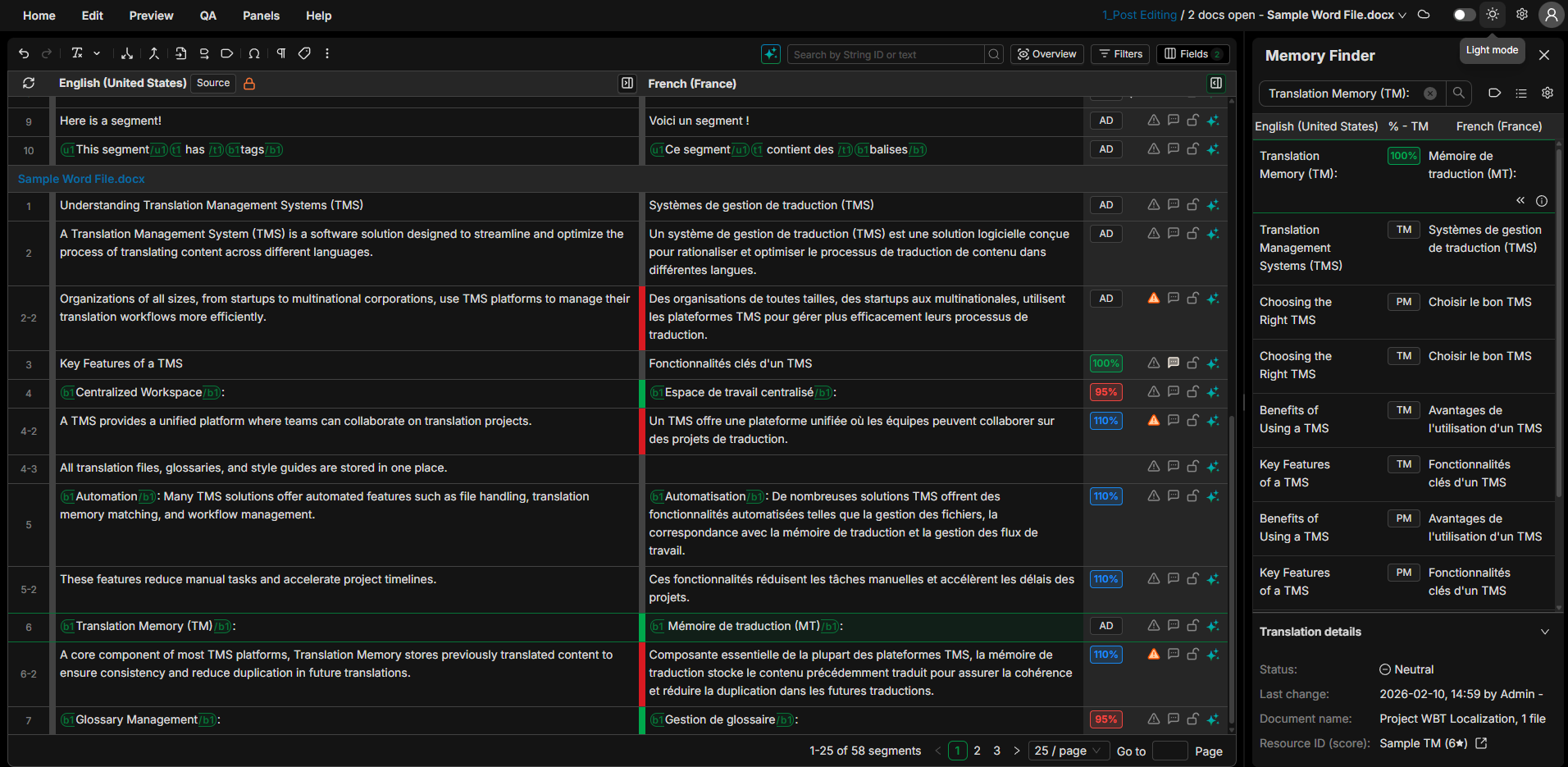
Dark mode
Switch themes based on your preference or time of day.
Preview panel
See your translation in the original layout without leaving the grid:
-
Embedded — the preview now lives inside the Editor screen, no separate window to manage.
-
Dock & refresh on demand — keep it below the grid and refresh whenever you want to check progress.
-
Detach for multi-monitor — like any other module, send it to a second screen when you have one.
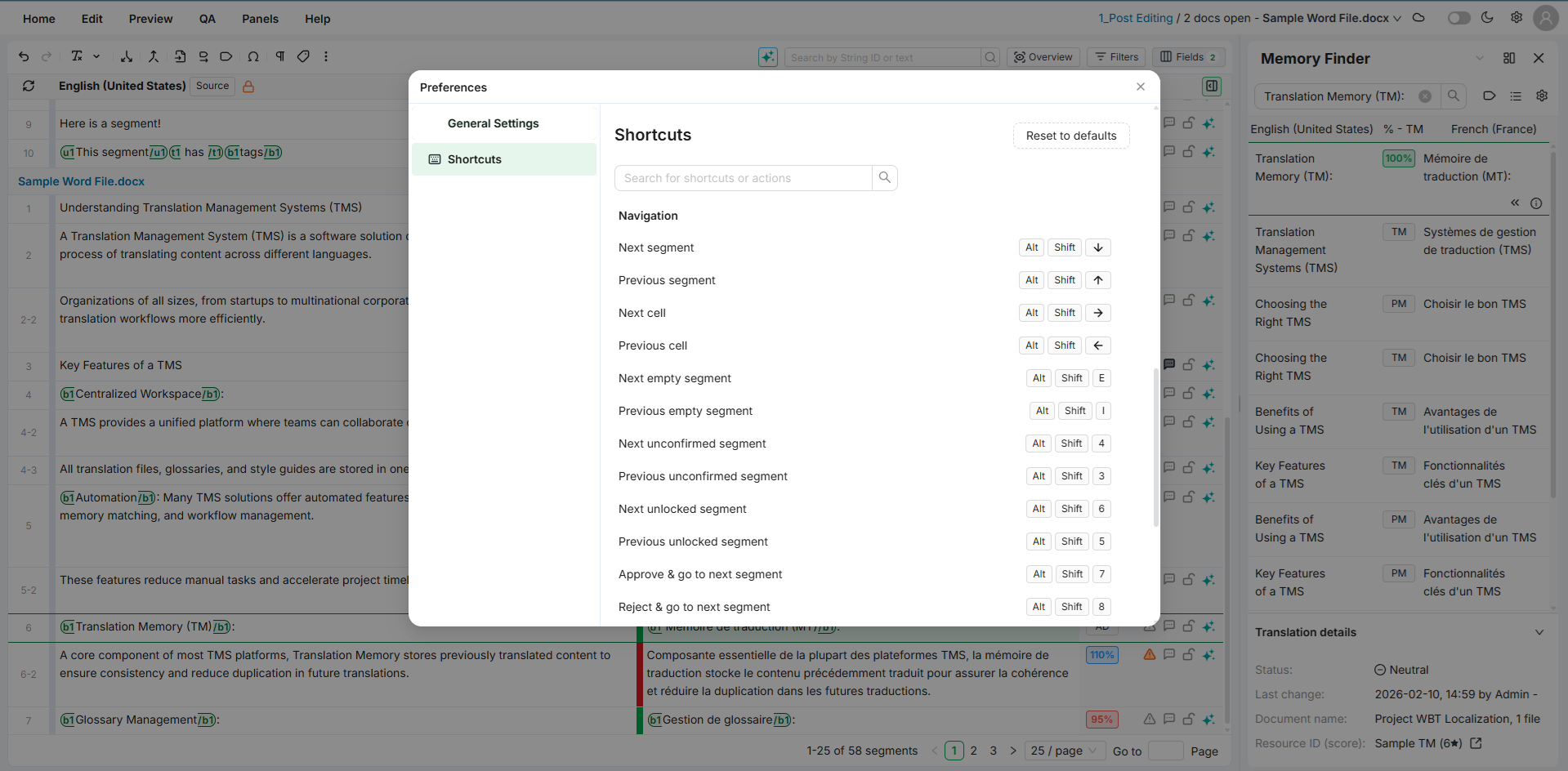
Keyboard shortcuts
If the mouse feels like a bottleneck, Editor v2 is built for the keyboard: almost every action — navigation, editing, status changes, driving the finders — has a shortcut. Start working right away with a complete set of sensible defaults, then define or remap whatever you need to match exactly how you work. Ctrl+Enter is now the default Confirm-and-next shortcut.
Continuous scrolling
Flow through long documents without pagination breaks — the Editor loads more segments on demand as you scroll. Continuous scrolling is enabled by default for convenience; switch to fixed-size pages or tune the loading behavior anytime from Preferences.
🔜 What's Coming Soon
A glimpse of what we're working on next:
-
Manage deliverable files and attachments — a Deliver menubar entry and modal to manage deliverable files, plus an Attachments tab in the Job acceptance & delivery popup.
-
Inline markup display — markup tags shown inline in the grid, and extended to Memory Finder, Revisions, and AI suggestions.
-
Statistics panel — a visual sidebar panel with click-to-filter sections that gives an at-a-glance read on the current job, project, or Flex container.
-
More search modes in Term Finder — Similar, Contains, Whole term, Wildcards, Regex, and % similarity.
-
Subtitle preview — view subtitles in their video context while translating subtitle files.
-
Panels in the below-grid zone — dock modules in a new zone beneath the grid, alongside the existing sidebar zones.
We update this roadmap regularly as priorities shift.
Try It Out
You're among the first to use this. Your feedback helps us figure out what works and what needs improvement.
Switching between versions
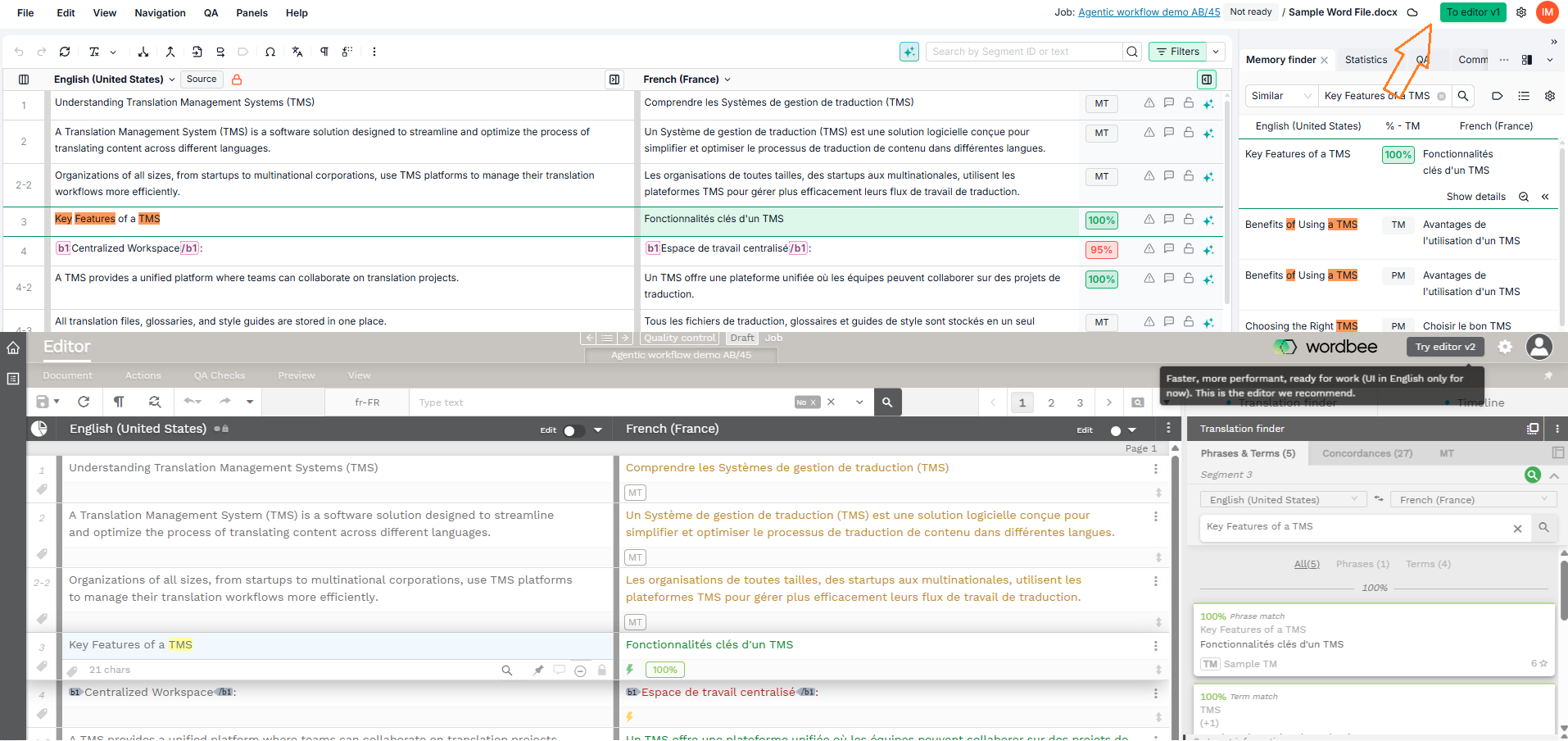
There's a toggle next to the user avatar on the top right corner that lets you switch between the new and previous Editor versions. Swap back and forth anytime during your normal work. The goal during this phase is to gradually adopt the new tool as features continue to grow.
Questions or feedback? Reach out to your CSM Team representative.